
Health Bar Plugin
The Crux Health Bar is a highly customizable UMG/Slate widget designed for all types of games. It extends the standard progress bar functionality with built-in support for "damage preview", smooth "catch-up" fading animations, and dual-axis filling strategies.
The widget is built on a custom Slate implementation (SCXHealthBar) for performance and exposes a standard UMG interface (UCXHealthBar).
General Settings
-
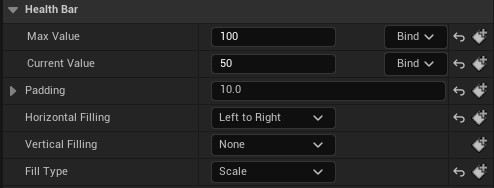
Max Value
This value determines what is the 100% value (used to compute current percentage withCurrentValue / MaxValue). -
Current Value
This is the current value for the data shown by the widget (used to compute current percentage withCurrentValue / MaxValue). -
Padding
This defines the filling bounding box. The 0% and 100% will be determined by taking into account this area.You can toggle the
Draw Debugin the advanced section to visualize the padding.
It will be depicted by a yellow rectangle when the widget is selected.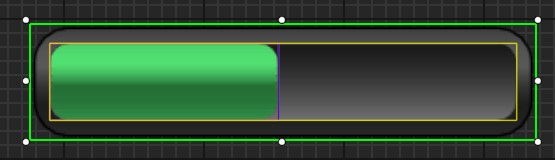
-
Filling Strategy
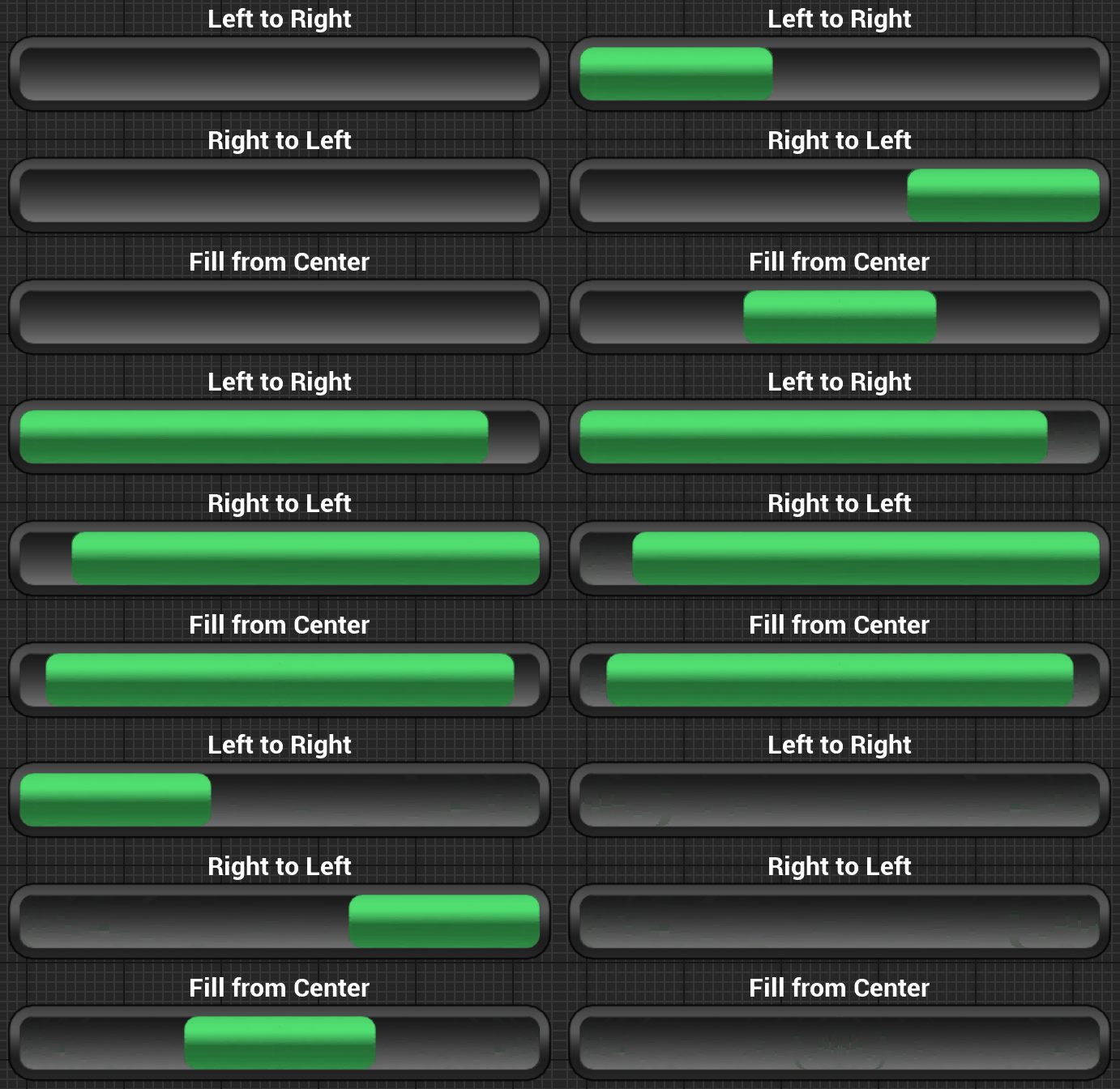
This widget supports filling on both axes simultaneously. You can make any combination of those values:- Horizontal: LeftToRight, RightToLeft, FillFromCenter, or None.
- Vertical: TopToBottom, BottomToTop, FillFromCenter, or None.
-
Fill Type
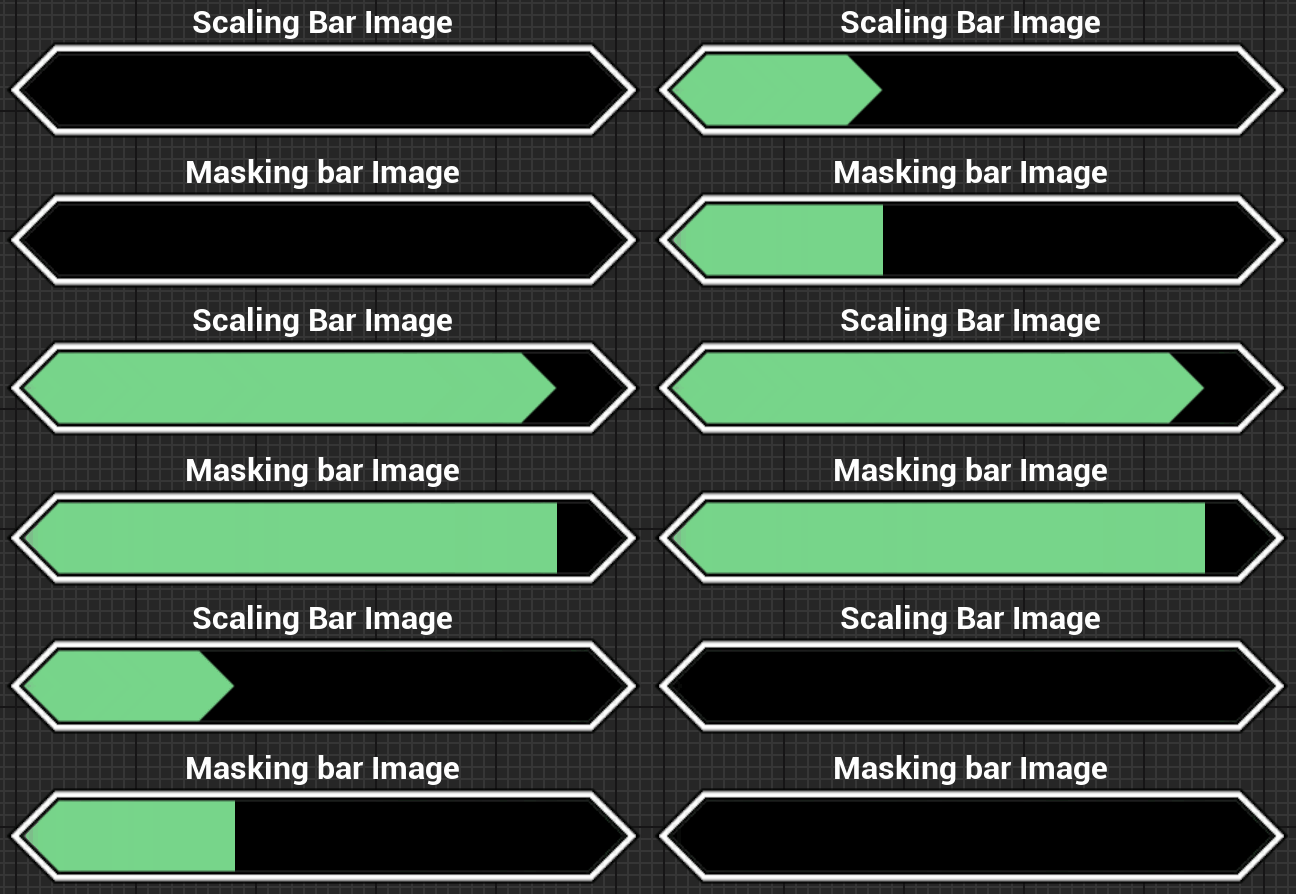
- Mask: The image is clipped (masked) to show progress. Simple and basic.
- Scale: The image geometry itself is scaled. Set your images as
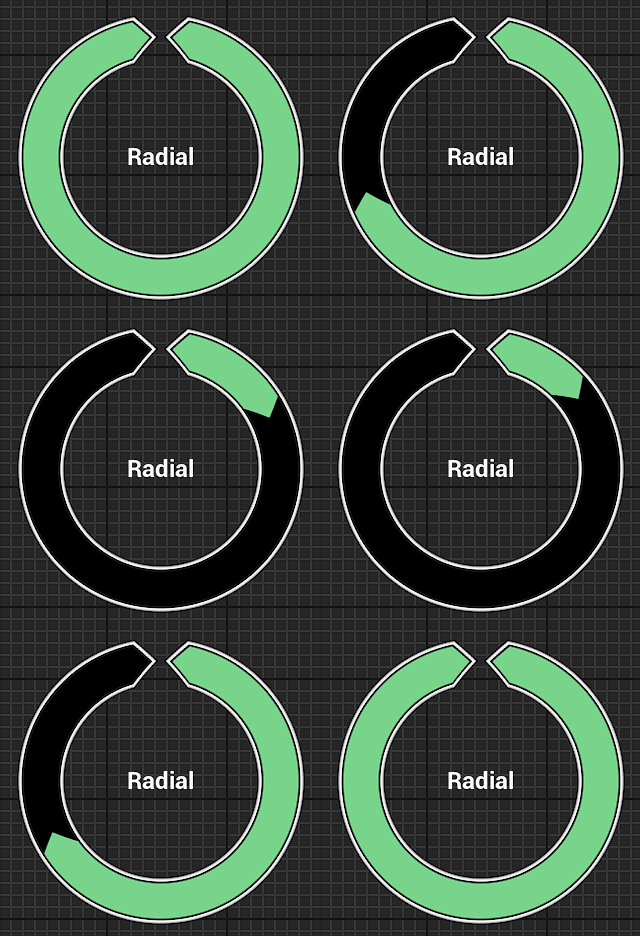
Draw as Boxand define your margins to get the borders not distorted. - Radial: A special filling type to create a circular progress bar. See Radial Bars page for more details on it.
You can get more details on the features by visiting the following pages: